Weather Forecast - Local Radar
- 4.7
- Rating
- 1.00M
- Installs
- Free
- Price
 Analysis by App-foxy
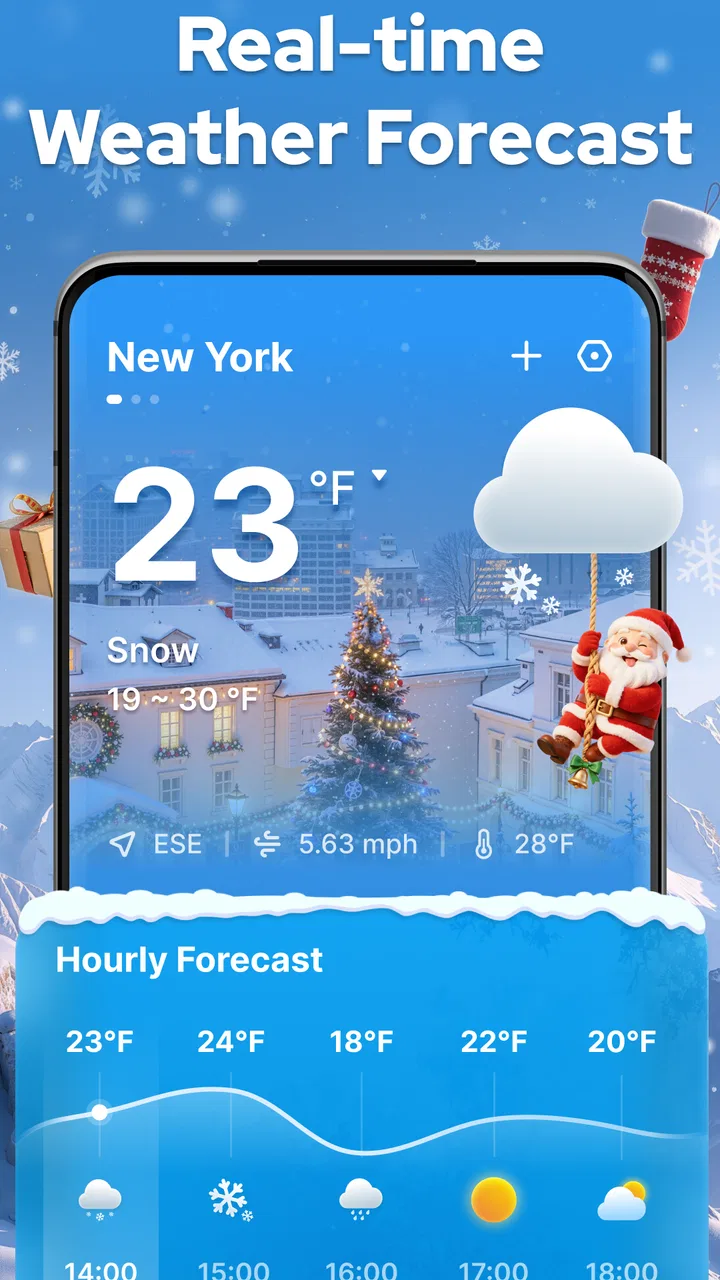
I usually want a weather app to answer one question quickly: should I leave now, wait a little, or take another layer? Weather Forecast - Local Radar approaches that simple need with a live forecast and radar-focused experience. After spending time with it, I found that its main appeal is not a crowded collection of extras, but the way it puts current local conditions and nearby weather movement in one place.
It is a free weather app from ZANKHANA PTE LTD, rated for Everyone and available for devices running Android 6.0 or later. The app has reached over a million installs and holds a 4.6 average from around fourteen thousand ratings, which suggests that its straightforward approach works for a broad audience. My impression is that it suits people who want a practical daily forecast more than users looking for a full meteorological workstation.
Getting past the first points of friction
The first place many people can get stuck is location. A local forecast is only useful when the app knows which place you want to monitor. If the displayed conditions seem wrong, I would first check whether the selected location is actually the town, suburb, or travel destination you intended. A weather app can appear inaccurate when it is simply showing a nearby area with different conditions.
You May Also Like

 Blood Strike: 2.5 Anniversary
Blood Strike’s Loadouts Turn Every Drop Into a Tactical Gamble
A close look at Blood Strike’s custom loadouts: how fast access to signature weapons reshapes its battle royale rhythm, rewards preparation, and narrows the gap between fights.

 Pandora - Music & Podcasts
Pandora’s Music Is Easy to Start, but Harder to Recover
Pandora’s strength is its low-effort path from a seed to a station. Its weak spot is how much confidence it asks you to place in connection, setup, and quiet recovery.

 8 Ball Pool
 Is Built on Rivalries, Rematches, and Routine
A close look at the rivalries, rematches, shared routines, and unanswered safety questions that turn a quick pool match into a persistent mobile community.

 Samsung Music
’s Quiet Strength Is Playing What You Already Own
Its reach comes less from spectacle than from dependable access to a personal library. That simplicity is both the app’s strongest retention engine and its ceiling.

 AccuWeather: Weather Radar
AccuWeather Review: A Quick, Clear Forecast for Everyday Decisions
For everyday plans, the best forecast is the one you can understand quickly. AccuWeather makes rain timing, radar, and local conditions easy to act on, with a few trade-offs.

 Hill Climb Racing
Why Hill Climb Racing Still Turns Crashes Into One More Run
A tiny car, a bumpy hill and one more upgrade: Hill Climb Racing keeps resurfacing because its simple chaos makes every near-miss feel personal.
More From Our News Desk



I also recommend deciding early whether you want to rely on automatic location or choose a place manually. Automatic location is convenient when you move around, but a manually selected location can be better for checking a home, workplace, school, or upcoming destination. For someone planning a commute, I prefer selecting the destination rather than assuming the phone’s current position answers the whole question.
Another common stumbling block is interpreting the radar view. Radar is not the same thing as a promise that rain will arrive at your exact address. It is a visual way to follow weather activity around the selected area. A colored patch moving toward you may be worth noting, but its timing and intensity can change. I use the radar to add context to the forecast, not to replace judgment about roads, visibility, or outdoor conditions.
The most useful habit is to compare the local forecast with the radar instead of treating either view as absolute. If the forecast suggests unsettled weather and the radar shows activity nearby, I become more cautious. If the radar is quiet but the forecast still looks uncertain, I avoid making a long outdoor plan based on one glance.
A setup routine that avoids misleading results
When I install a weather app, I give it a short setup check before trusting it for an important plan. In this case, I would confirm the chosen location, look at the current conditions, open the radar, and then check whether the forecast period matches the time I care about. That takes less effort than discovering later that I had been reading tomorrow’s conditions while preparing for this afternoon.
The app is free to use, with in-app purchases listed at $1.99 per item. That makes it easy to try without committing money at the start, although I would still pay attention to any purchase prompt and decide whether an optional item genuinely improves my routine. For a basic daily check, I would begin with the free experience and only consider spending if a particular paid element solves a problem I actually have.
Its current version is 1.3.4. If the interface behaves differently from what you remember, checking whether the app is up to date is a sensible first step. I would also restart the app after an update if a screen seems slow or fails to refresh. That is ordinary troubleshooting, but it prevents a temporary loading issue from being mistaken for a permanent weakness.
For location problems, I would use a simple sequence: confirm the phone’s location setting, check that the app is looking at the intended place, then close and reopen the app. If the weather still looks unrelated to the selected area, I would switch to a manually chosen location and compare the result. This separates a location-selection problem from a forecast problem without requiring technical knowledge.
How I use the radar in an everyday situation
Imagine I am leaving for work and see dark clouds outside. Instead of relying only on that visual impression, I open the app and check the current forecast for my area. Then I look at the radar to see whether the weather pattern appears to be moving toward the route or sitting elsewhere. If the activity is close and the timing is uncertain, I take an umbrella and leave a little earlier. If the radar is clear around the route, I may decide that the clouds are less threatening than they first appeared.
This workflow is more useful than repeatedly refreshing a single temperature number. Temperature tells me how the air feels; the forecast gives a broader expectation; the radar helps me understand what may be happening nearby. The three views answer different questions, and the app is at its best when I use them together.
A second practical use is planning a short outdoor task rather than an entire day. Before walking the dog, cycling to a shop, or taking children to a park, I would check the immediate conditions and then inspect nearby radar movement. The trade-off is that radar can encourage false confidence when the sky changes quickly. I would still treat it as guidance, especially when conditions are severe or visibility is changing.
Recovering when the forecast seems stuck
If the information does not appear to update, I would avoid repeatedly tapping the same control. First, I would check whether the phone has a working internet connection by opening another service. If other apps are also struggling, Weather Forecast - Local Radar is probably not the source of the problem. If everything else loads normally, I would close and reopen the weather app, recheck the selected location, and try again after a short interval.
A stale-looking screen can also come from confusing a forecast period with current conditions. I find it helpful to return to the main local view and deliberately move through the forecast once more. This confirms whether the app is frozen or whether I was simply viewing a later time. The distinction matters because a forecast can legitimately differ from what is happening outside at this exact moment.
When the radar appears empty, I would check the map area and make sure I am not viewing a place far from the location I meant to inspect. I would also give the display a moment to load rather than assuming that no colored activity means perfectly clear weather everywhere. A radar view is local by nature, so what happens a few towns away may not appear in the same way as conditions at my chosen point.
For a trip, I would check the destination before leaving and then check again closer to departure. I would not depend on one early reading for a long journey. Weather changes, and the app can only show the information available for the selected place and time. This is a useful limitation to understand: the app helps me make better decisions, but it cannot remove uncertainty from the atmosphere.
Separating app issues from weather-data uncertainty
Sometimes the app is not the cause of an apparent mismatch. Weather conditions can vary sharply between nearby neighborhoods, particularly around coastlines, hills, open fields, and dense urban areas. A forecast for a broader locality may not match the exact view from one street. If the app is consistently showing the correct selected place but the sky differs outside, that may be normal local variation rather than a malfunction.
Timing is another source of confusion. A forecast describes an expected period, while the radar shows an evolving picture. Rain can weaken, split, or pass around an area. I therefore avoid judging accuracy from one isolated moment. I look for whether the overall direction is useful: is unsettled weather nearby, is it moving closer, and does the forecast encourage caution?
For serious travel, outdoor work, or rapidly worsening conditions, I would compare the app with official local warnings and direct observations. Weather Forecast - Local Radar is a convenient everyday tool, not something I would treat as the only authority in a safety-critical situation. That is not a criticism unique to this app; it is a sensible boundary for any consumer weather service.
People who need highly specialized information may find a different option more suitable. A professional user might want detailed aviation, marine, agricultural, or storm-analysis tools. Someone who wants a large collection of widgets, long-term climate charts, or extensive customization may also prefer a more feature-heavy alternative. My experience with this app points toward a cleaner, quicker role: checking the local situation without turning a basic forecast into a research session.
What makes the app useful day after day
The strongest part of Weather Forecast - Local Radar is the combination of immediacy and context. Many basic weather apps stop at temperature and a small icon. Here, the radar perspective gives me a better reason to look again before heading out. It is especially valuable when the forecast alone feels too general and I want to understand whether nearby weather is approaching or moving away.
The app also works well for users who do not want to learn complicated meteorological terminology. I can begin with the current local conditions, move to the forecast, and then use the radar as a visual check. That progression feels natural for a casual user. I do not need to understand every technical detail to make a practical choice about clothing, timing, or whether to postpone a short outing.
There is a useful trade-off here. Simplicity makes the app approachable, but it may leave advanced users wanting more depth. If my decisions depend on detailed weather layers or specialized warnings, I would look elsewhere. If I mainly need a dependable glance at local conditions and a nearby radar view, the focused design is more appealing than a screen packed with information I rarely use.
The developer, ZANKHANA PTE LTD, has positioned this as a general weather utility rather than a niche professional instrument. Its Everyone age rating reinforces that broad audience. I would recommend it to a family member who wants an uncomplicated forecast, a commuter who checks conditions before leaving, or a traveler who needs to monitor a destination without building a complex weather workflow.
Who should install it and who should skip it
I think this app is a good match if you want free access to a local forecast, prefer visual radar information, and are comfortable checking the selected location before making plans. It is also a sensible choice for someone using an older Android device, since the minimum operating system is Android 6.0. The large install base and strong average rating make it an easy candidate to try, although neither popularity nor ratings can replace checking whether its style fits your needs.
I would hesitate to recommend it to someone who needs highly detailed professional forecasting, wants every possible customization option, or expects a radar image to predict exact rainfall at an exact minute. I would also skip it as my sole source for dangerous conditions. In those cases, an official warning service or a specialist weather application should take priority.
Before relying on it for a holiday, hike, event, or commute, I would spend a day using the app at different times. Check the current view, compare it with the sky outside, and see whether the radar helps you understand changes. This small trial reveals more than a quick install because it shows whether the app’s presentation matches the way you make decisions.
My practical verdict
Weather Forecast - Local Radar is a convincing everyday weather app because it keeps the important workflow close at hand: choose the right place, check the forecast, and use radar to add local context. I appreciate that it can support quick decisions without requiring me to dig through a complicated interface. The free entry point, Everyone rating, and support for Android 6.0 or later make it accessible to a wide range of users.
Its limitations are mostly about expectations. Radar is guidance, not a guarantee; nearby conditions can differ; and users wanting specialist detail may outgrow it. I would also treat any loading or location issue methodically rather than immediately blaming the forecast. Confirm the place, check the connection, restart the app, and compare the forecast period with the time you actually need.
Overall, I would recommend Weather Forecast - Local Radar to anyone who wants a clear local weather check with a useful radar angle. It is not the tool I would choose for professional analysis or emergency decisions, but for deciding whether to carry an umbrella, delay a walk, or check conditions at a destination, it earns a place in my regular routine. The best results come from using it as a practical aid: informative enough to guide a choice, while leaving room for common sense and changing weather.
FAQs for Weather Forecast - Local Radar
01What features does Weather Forecast - Local Radar offer?
Weather Forecast - Local Radar provides real-time weather updates, detailed forecasts, and interactive radar maps. It includes features such as severe weather alerts, customizable notifications, and a widget for quick access. Users can also view hourly and weekly forecasts, ensuring they have the latest information to plan their activities.
02Is Weather Forecast - Local Radar free to use?
Yes, Weather Forecast - Local Radar offers a free version with essential features. However, there may be in-app purchases or a premium version available. These options typically provide additional features like ad-free usage, enhanced radar capabilities, and more detailed forecasts. Users can choose based on their needs.
03How accurate is the weather information in Weather Forecast - Local Radar?
The app sources data from reliable meteorological services, ensuring high accuracy. It uses advanced algorithms and real-time data to provide precise forecasts. However, like all weather apps, there might be occasional discrepancies due to sudden weather changes. Users are encouraged to check multiple sources if necessary.
04Does Weather Forecast - Local Radar require an internet connection?
Yes, an internet connection is necessary for Weather Forecast - Local Radar to provide updated weather information and radar maps. While some data may be cached for offline use, real-time updates and radar functionality require connectivity. Users should ensure a stable internet connection for the best experience.
05Can I customize the weather notifications in Weather Forecast - Local Radar?
Absolutely. The app allows users to customize notifications based on their preferences. You can set alerts for specific weather conditions, such as rain or snow, and choose the time for daily forecasts. This feature helps users stay informed about the weather conditions that matter most to them.
Pros
- Accurate real-time weather updates.
- User-friendly interface design.
- Customizable alerts and notifications.
- Detailed radar and satellite imagery.
- Supports multiple locations.
Cons
- Contains in-app advertisements.
- Requires a stable internet connection.
- Some features are premium-only.
- Occasional loading delays reported.
- Limited offline functionality.

Weather Forecast - Local Radar
Gallery